
For players who practise alone
Score every shot. See proof your pool game is improving.
Two hours at the table on your own can feel productive and change nothing. Pool & Billiards Self-Trainer is the practice log for players without a coach: it tells you what to work on, scores what you actually do, and shows you in numbers whether your game is moving — for 8-ball, 9-ball and snooker.
Free. No account. No sign-in. Your practice history stays on your device.
What it looks like
Eight screens from the app, in the order a practice session actually happens.
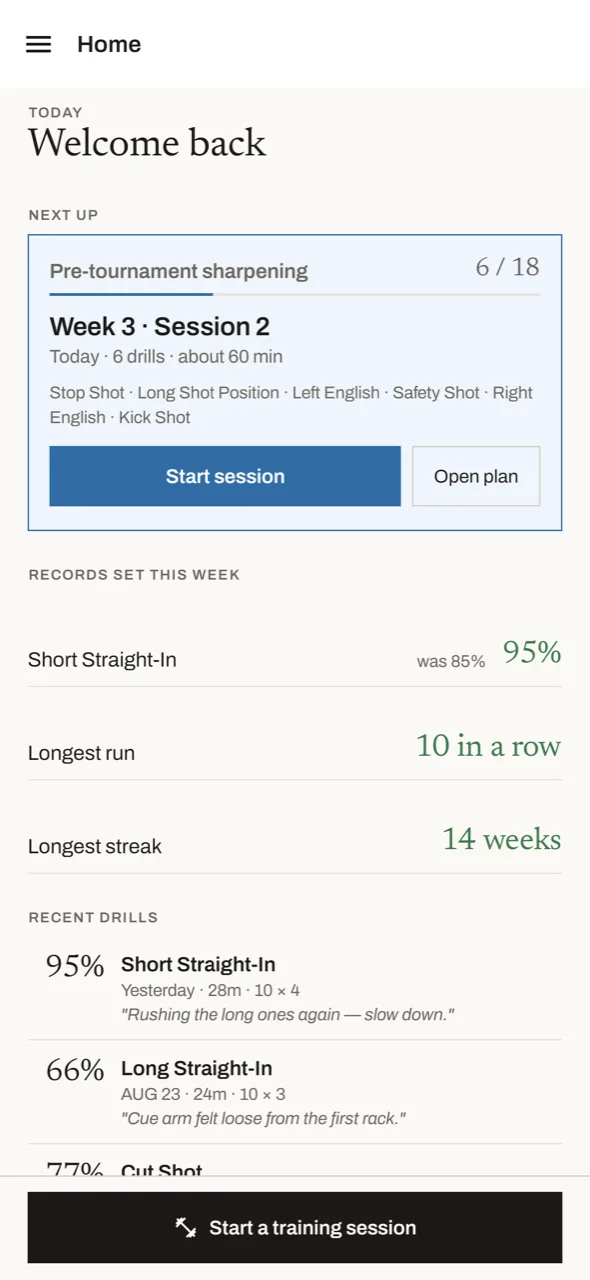
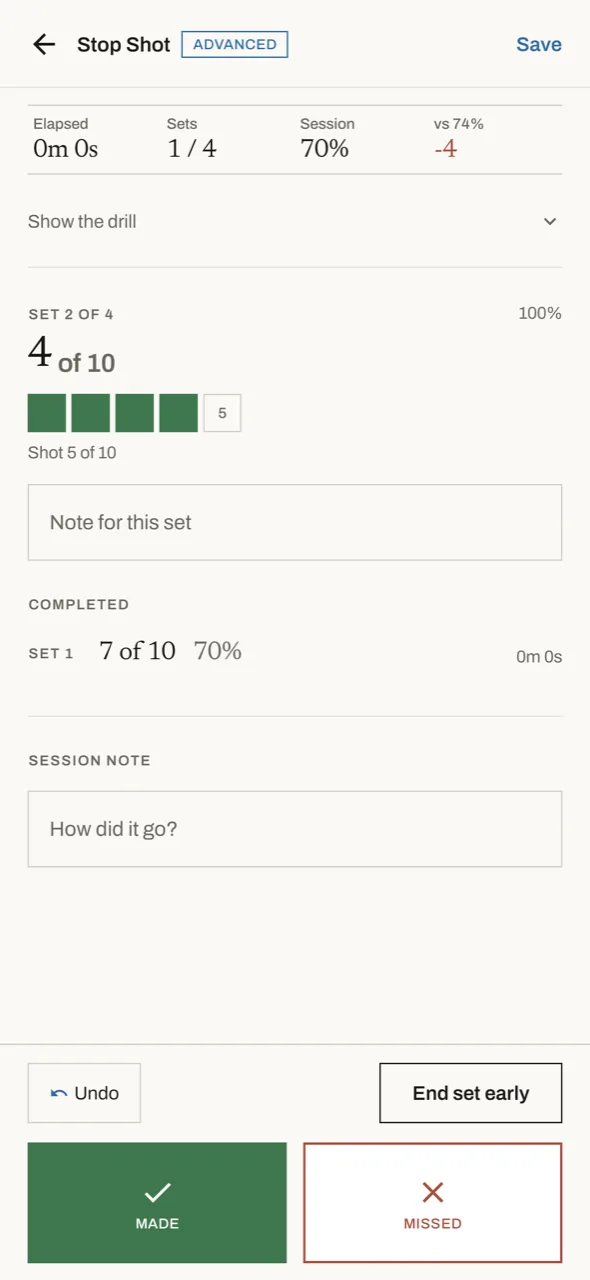
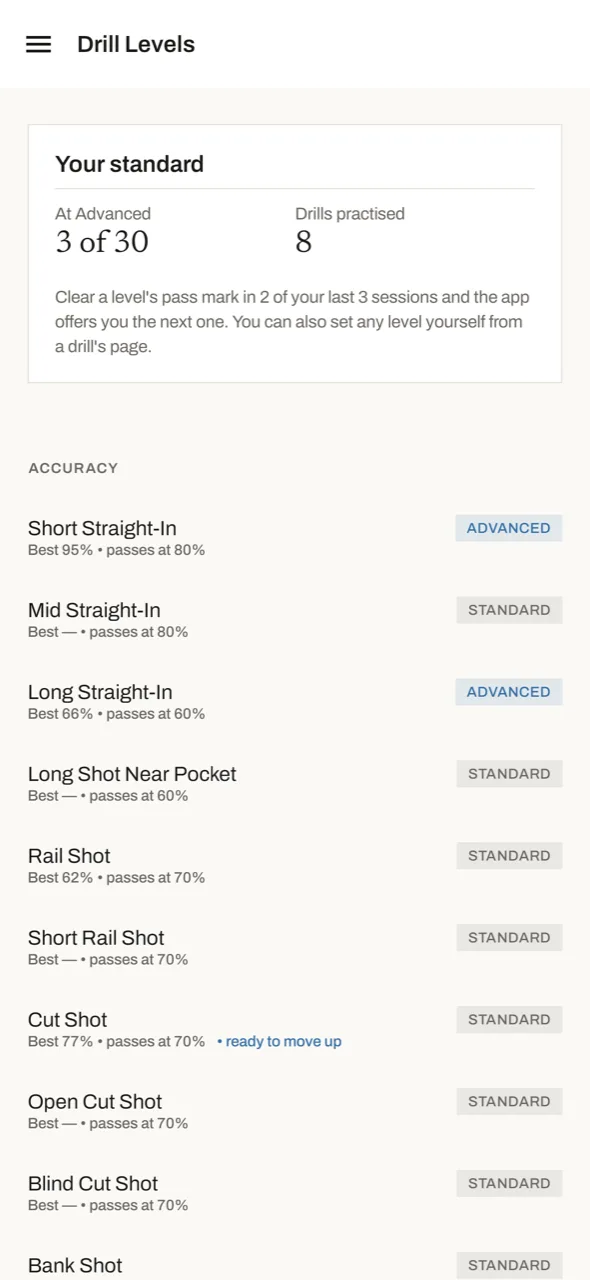
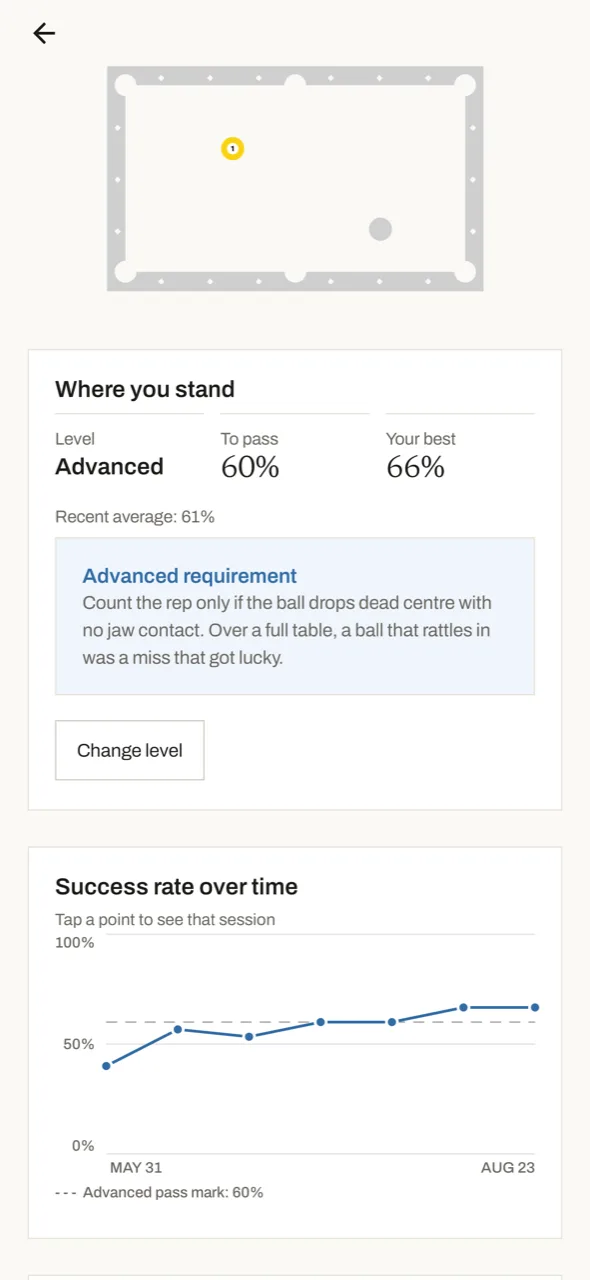
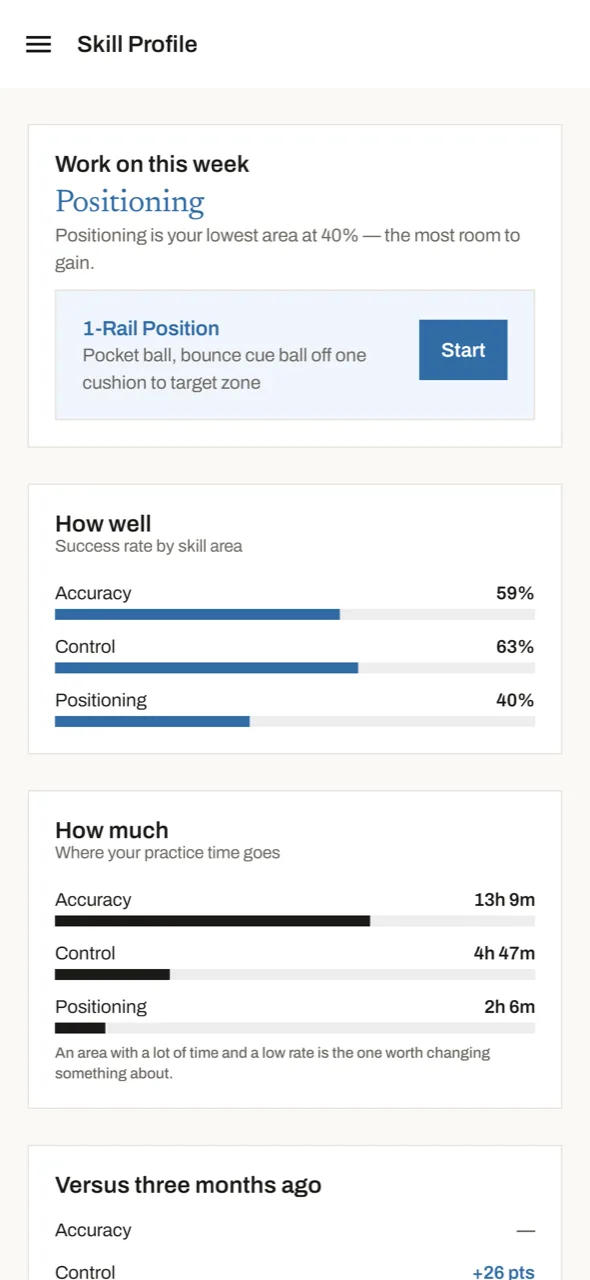
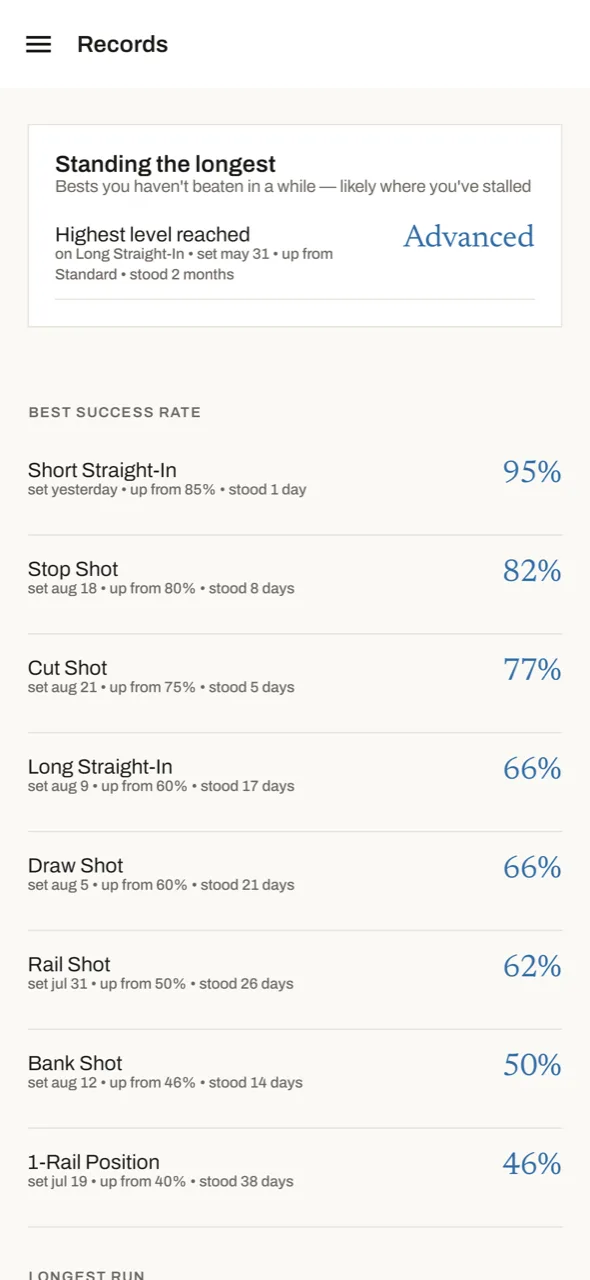
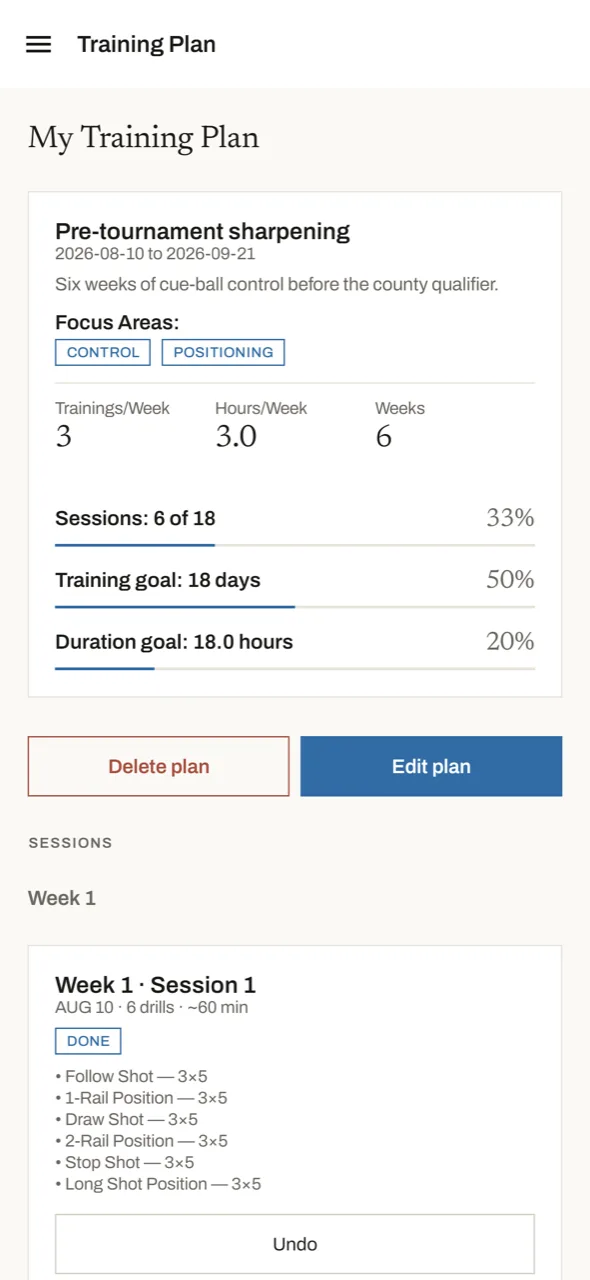
Screens from iPhone. Android is the same app.
What you get
A pool drill library that tells you why
30 drills, each with a setup diagram, the exact shot sequence, a skill focus — accuracy, cue-ball control, positioning — and an explanation of what it fixes. Filter by focus, difficulty and how much table you have.
Score every shot
Tap made or missed as you go, or enter the set total if you would rather count in your head. Your success rate for the set and the session is on screen while there is still time to fix it, next to the target to beat.
Levels, so a drill lasts years
Every drill has a second, harder standard. Clear the pass mark and the app offers you the harder level; fall well short repeatedly and it offers a step back down. The rule is stated, not hidden, and you decide.
Proof you are improving
Success rate on any drill charted over months, personal records with the date each was set, a skill profile that names your weakest area, and a calendar heat map of every day you have practised.
Plans and guided sessions
Four ready-made programmes, or build your own by weeks, sessions per week and focus. The plan lays itself out as numbered sessions with real drills, and today's starts from the home screen in one tap.
Matches, exams and the handbook
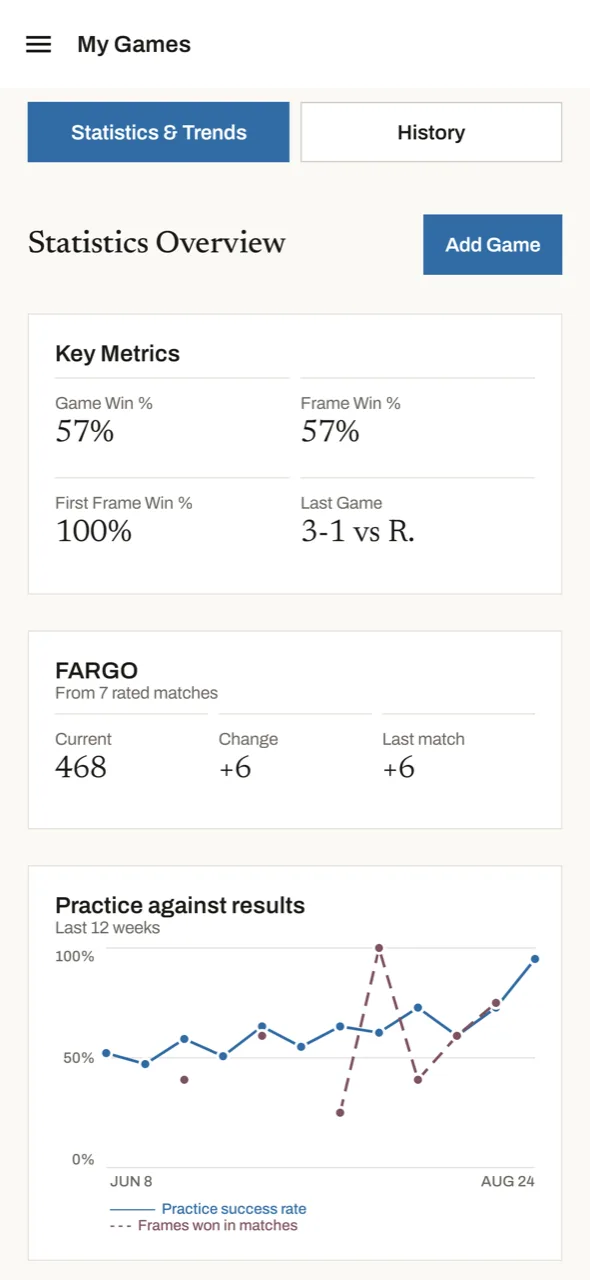
Log matches frame by frame with venue, opponent and FARGO change, and see practice success rate plotted against frames won. Self-assessment exams score your whole game, and the rules handbook works with no reception.
How it works
- Tell it where you are. Skill level, the thing that frustrates you most, and how long you have today.
- Practise what it proposes. A plan session, a guided session, or a drill you pick yourself with your own reps and sets.
- Score each shot as you take it. Made or missed — two taps between shots, and the running success rate tells you how the set is going.
- Move up when you have earned it. Clear a drill's pass mark consistently and the app offers you the harder level on the same drill.
- Read the trend. Records, charts and the skill profile turn weeks of sessions into a clear answer: is this working?
What it costs
The app is free — the drill library, session tracking, shot scoring, plans, exams, matches and your complete practice history. Nothing you record is ever hidden from you.
Pool Trainer Pro is optional. It widens the analysis: charts, records, streaks and the skill profile reach back over everything you have ever recorded, instead of the last 30 days. It changes how far back you can look, never what you are allowed to record.
Pool practice guides
Practical writing on training alone, for 8-ball, 9-ball and snooker players.
How to practise pool alone
A structure for solo table time that produces measurable improvement.
Pool drills for beginners
Six drills that build a foundation, and how to know when to move on.
Cue ball control drills
Stop drills, follow, draw and the progressive position exercises that matter.
Building a pool training plan
How to split a week of practice between accuracy, position and match play.
How to measure pool improvement
Which numbers actually track skill, and which ones just track your mood.
All guides →
The full index.
Frequently asked questions
How do I practise pool alone without wasting the session?
Give the session a structure: pick a skill to work on, run a small number of drills for a fixed number of sets, score every shot as you go, and record the result. The app does that structuring for you and keeps the record, so you can compare this week against last. There is a longer walkthrough in how to practise pool alone.
How do I score a drill in the app?
Tap made or missed as you take each shot, or enter the set total afterwards if you would rather count in your head. Your success rate for the set and the session stays on screen while you are still at the table, next to the target to beat — your own recent average on that drill. A rest timer runs between sets, and you can attach a note to the set where the thing actually happened.
Does the app work offline?
Yes. Drills, sessions, scoring, exams and your practice history all work with no connection, and there is no account or sign-in. Your records stay on your device — see the privacy policy.
Is it only for 8-ball, or does it suit 9-ball and snooker too?
The drills train the underlying skills — potting accuracy, cue-ball control and position — so they apply to 8-ball, 9-ball, 10-ball and snooker alike. Match tracking lets you log whichever game you actually play.
What happens when a drill gets too easy?
Every drill has a second, harder standard — a longer cue-ball distance, a thinner cut, a tighter requirement. Clear the pass mark in two of your last three sessions and the app offers you the harder level; fall well short repeatedly and it offers a step back down. The rule is stated on screen, and you always have the final say.
How long does a practice session need to be?
Guided sessions run from 5 to 60 minutes. A short, scored session beats a long, unfocused one — the record is what makes improvement visible.
How do I know whether I am actually improving?
Three ways: your success rate on a single drill charted over months, personal records that show the date each was set and the number it beat, and self-assessment exams — standardised and repeatable, so today's score is comparable with next month's. More on this in how to measure pool improvement.
Is the app free?
Yes. The drill library, session tracking, shot scoring, plans, exams, matches and your complete history are free. Pool Trainer Pro is an optional subscription that widens the analysis beyond the last 30 days.
Which devices is it available on?
iPhone via the App Store, and Android via Google Play. Both links are below.
Get the app
Available for iPhone and Android. The drill library, shot scoring, training plans, self-assessment exams, match tracking and your complete practice history are all free.
Works offline. No account required.